Mine Antarctica Warmth Guide — The Cold, Freezing and When to Upgrade
How the cold works in Mine Antarctica: altitude raises cold, freezing cuts runs short, and the Warmth upgrade decides how long you can mine the rich high bands.
Why Warmth is the gatekeeper upgrade
The official game description draws the line clearly: “Don’t freeze, the higher you climb, the COLDER it gets!” On this mountain, altitude pays in rarer crystals and charges in cold. Warmth is the upgrade that lets you stay in the cold bands long enough to profit from them. Without it, high-altitude runs end when your character freezes, not when your backpack fills.
The cold is not cosmetic. It is the resource that decides whether a run is:
- Warm zones, short runs — safe, low bands, common crystals.
- Cold bands, long runs — requires Warmth investment, pays in rarer crystals.
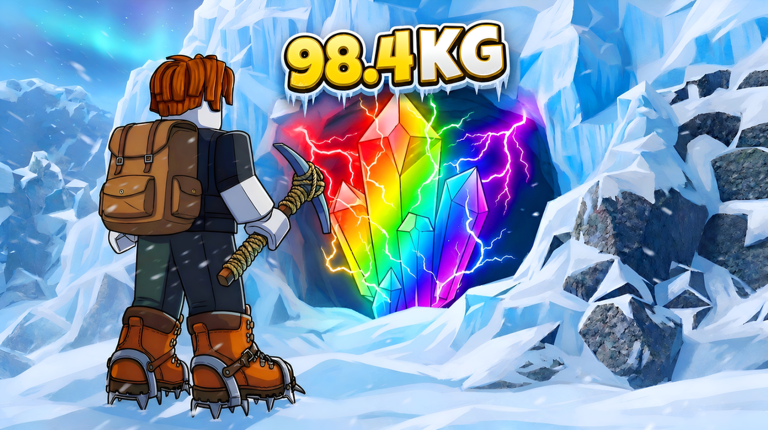 High-altitude finds like this 98.4 KG rainbow crystal are what Warmth buys you time to reach.
What Warmth does, officially
The description names Warmth as one of the three upgrade lines (“Upgrade your warmth, pickaxe & backpack!”). Officially known:
- Warmth extends cold survival. Higher Warmth, longer work time in the cold bands before you must descend or freeze.
- Costs and tier names are not published. Warmth levels and prices are shown in the in-game shop; no official table exists. Treat any site listing Warmth costs as unverified.
- It gates altitude. Every altitude band effectively has a Warmth requirement — not because the game says so, but because freezing ends the run wherever your Warmth runs out.
How to know when to buy Warmth
Watch for these signals on your next run:
- You freeze before your backpack fills. Warmth is now the bottleneck — buy the next tier.
- You survive but the cold bands feel slow. Your bottleneck is the Pickaxe, not Warmth — check upgrade priority before spending.
- You just unlocked a visibly richer band. Buy Warmth to work it safely; a dead climber earns nothing.
A Warmth-first warm-up routine
A compact pre-climb checklist that pairs with the hourly zone rhythm:
- Like the game and join the group — the official +1 Mining Luck.
- Confirm your garden has spare crystals working for you.
- Enter the fresh zone at the top of the hour, mine the warm bands first, then push high while Warmth lasts.
- Sell everything before logging off — selling guide.
Warmth FAQ
- Does Warmth also make me mine faster? No official statement connects Warmth to mining speed — that is the Pickaxe’s job. Warmth buys time, the Pickaxe buys pace.
- Can I outrun the cold with speed instead? Not officially documented. If a movement speed mechanic exists, it is in-game knowledge; the official description only names the three upgrade lines.
- What happens when I freeze? The run ends where you stand — the official warning is “don’t freeze”. How a freeze resolves exactly (respawn point, kept items) is in-game knowledge; assume you lose the altitude, not your crystals.
Related Articles
upgrades
Mine Antarctica Upgrade Priority — What to Buy First
A sensible upgrade order for Mine Antarctica: group bonus and garden first, Warmth until you stop freezing, then Pickaxe and Backpack in the order your runs demand.
upgrades
Mine Antarctica Backpack Guide — Capacity, Run Length and Weight
How the Backpack works in Mine Antarctica: crystals weigh kilograms, capacity sets your run length, and the upgrade decides how much each climb earns.
upgrades
Mine Antarctica Pickaxe Guide — Mining Speed and Progression
What the Pickaxe does in Mine Antarctica: mining pace, which crystals you can crack, how it pairs with Warmth and Backpack, and when to upgrade it.
Was this helpful?
Thanks for the feedback!